Apps Putt Dojo | Real Ball Golf Putting

Sports Training
4.7
18 ratings 20 reviews
early access
2024
September 30
game modes
• Singleplayer
player modes
• Standing • Room-scale
compatibility
• Quest 3/3S
$11.99
$4.99 ended Aug 25
Store Page

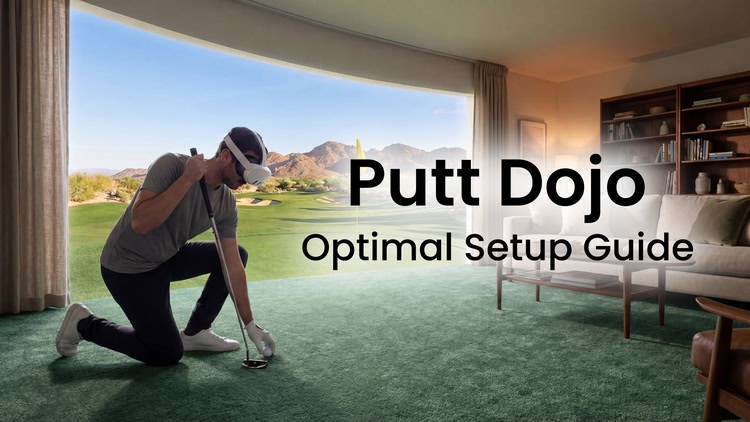
Putt Dojo is a putting simulator that works with a real golf ball and putter, designed to be a fun way to practice and improve your putting at home.

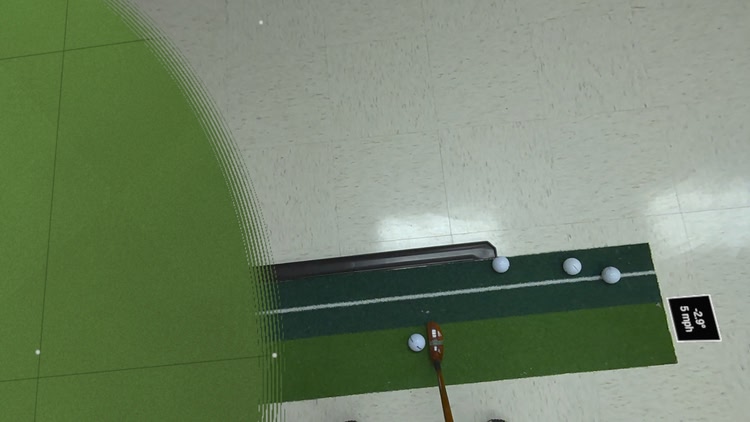
Instead of swinging a virtual controller, you make true strokes with your own equipment. Putt Dojo tracks your real ball so it rolls seamlessly from your space into the simulation, and reacts accurately to the speeds, slopes and contours of a virtual golf green.
“The most impressive use of the passthrough camera so far.” - UploadVR

Whether you’re working on start line, speed control, or building a consistent stroke, Putt Dojo is designed for golfers who want meaningful practice without leaving home.

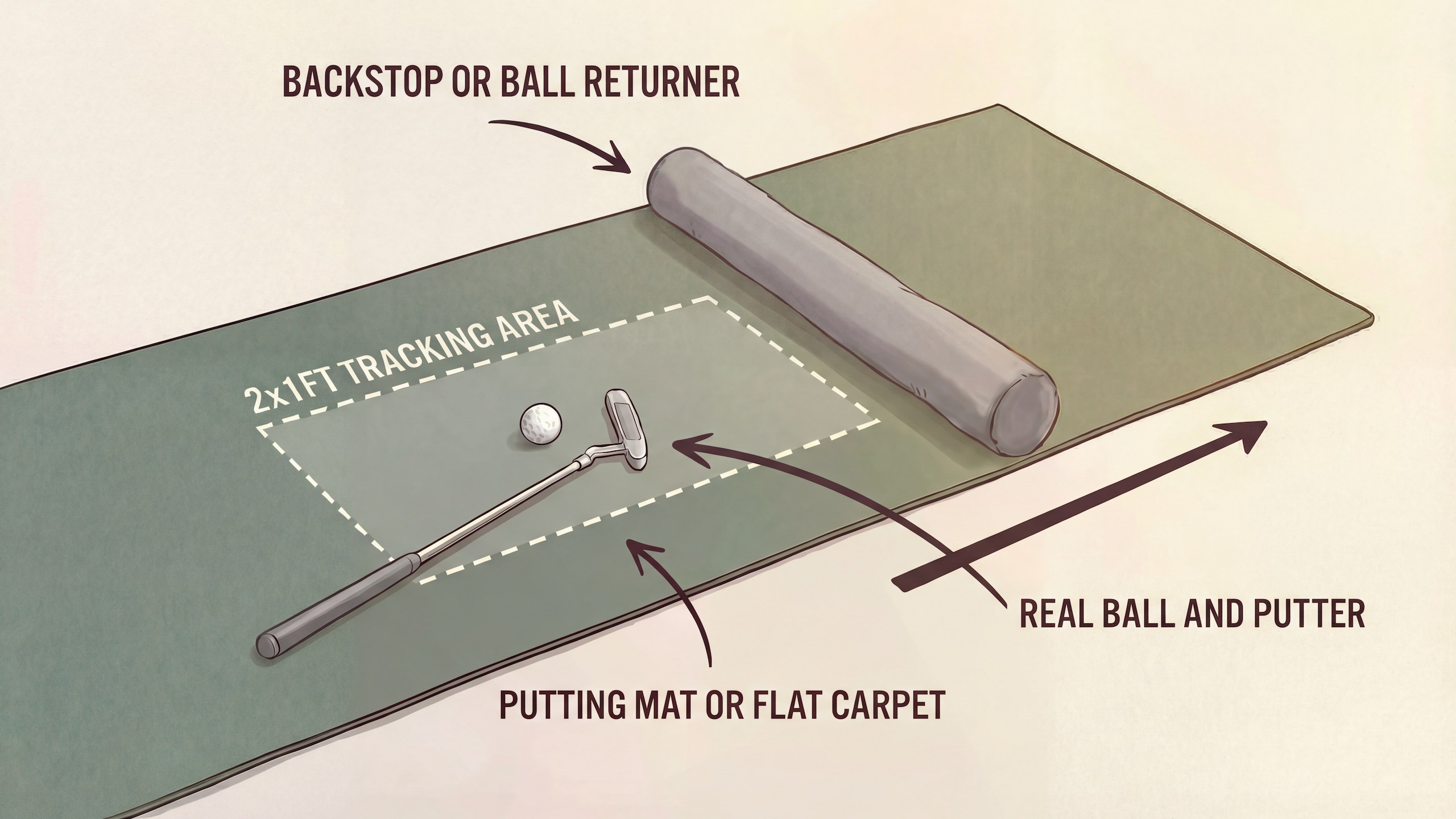
To use Putt Dojo, you’ll need:

  • A real putter and golf ball
  • At least 2 ft of putting surface*, such as a putting mat or carpet
  • A backstop or cushion to prevent the ball rolling away

*The tracking area (1x2ft) should be free of circular markings, complex patterns, or any lines/markings of similar color to the ball

Putt Dojo is also playable in virtual ball mode using the Meta Quest Touch Controllers.

If you’ve ever wished for more realistic, varied putting practice at home, Putt Dojo is for you. Experience a new kind of golf simulation today.

👉 Join the Discord to suggest new features: https://discord.gg/wkDcwCEBzJ

Mixed reality
comfort Comfortable
age rating0+ Everyone
storage0.2 GB
websiteputtwindow.com
developerMixr Design
publisherMixr Design
connectionInternet not required
app version0.5.3
languages
English

Price History

Developer posts 2

Reviews 20

SnakeEyes6 days ago

Couldn't get it to work

I've tried multiple environments, different matts for contrast, different balls, but it's really picky on when it picks up on the ball.
The type of matt/carpet shown in video dont seem to be good enough in reality.
Really liked the idea and concept but it didn't work.

Pierre33038 days ago
1

Great Practice Tool

Highly recommend to practice putting in the off season. Simple app but does what its designed for well! Being able to use a physical ball and putter is awesome!

DSJ5169 days ago
5

Excellent practice tool

While the lines showing the track of each putt is very useful I am finding the clutter of balls around the hole a distraction. An option to hide the balls but keep the lines would be most welcome. Otherwise very pleased with my purchase.

EDIT: Superb response from developer. Issue sorted very quickly and review upgraded to 5 stars.

RosieP72 days ago
3

Excellent work in progress

Yep, there are a few mistracking issues and set up requires good lighting, dark mat, white ball etc. However, considering the fact that you can use a real putter, and the putting simulator I was going to buy is 500 euros, great experience! The dev is also super responsive on Discord.

70 days ago

Thank you for the feedback and for joining on Discord! I'll keep improving the tracking algorithm to minimize the missed putts in different conditions. I hope this app can be the best way to practice putting at home!

Eao197384 days ago

Can’t get the ball to track

Downloaded the app, set up the green and did the real ball set up. The ball set up was confusing. I just can’t get the ball to track. It’s a white ball on a dark green putting mat and the area is well lit. No idea what I’m doing wrong. Help!

84 days ago

Hi, thank you for the feedback and sorry to hear about the issues. From what you’ve described, the problem might be to do with lines that are of similar color to the ball in your tracking area. Try using Space Setup to move the app such that the Tracking Area is only on the solid green part of the mat.

I’d also hit the Reset To Defaults (White Ball) in the Set Real Ball Color screen and then look down at your Tracking Area in that screen - you should see the ball appear as white and the background black. If the background is showing up as white in some areas, there might be some issues, the Value Range slider can help in that case. I’m hoping to improve this in a future release to make the setup easier, but from what you described it should work well in your space.

DSJ5186 days ago
deleted

Excellent practice tool

While the lines showing the track of each putt is very useful I am finding the clutter of balls around the hole a distraction. An option to hide the balls but keep the lines would be most welcome. Otherwise very pleased with my purchase.

73 days ago

Thanks for the feedback! I think you’re right that the clutter in practice mode is distracting. This will be fixed in the next release - rather than the previous balls staying visible, they will be replaced with a subtle marker on the ground (like a dot at the end of the lines). That should hopefully work better for you. Edit: Just pushed a new build (v0.4.3) which has the described change. There should be less clutter in practice mode now, so hopefully it's a better experience for you. Feel free to reach out on the discord if you have any more issues or suggestions.

1-6 of 20