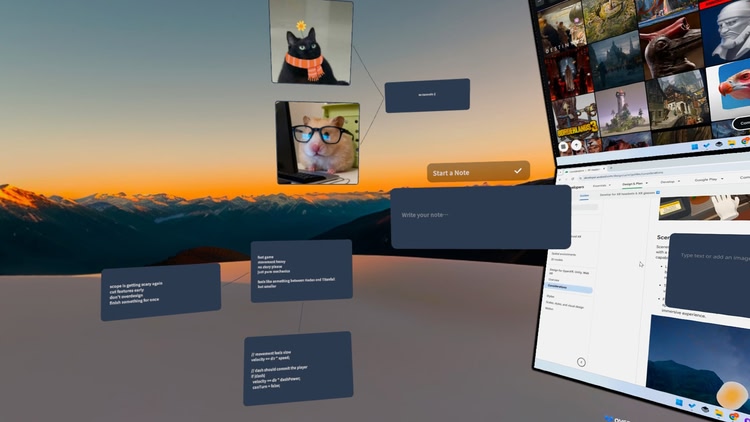
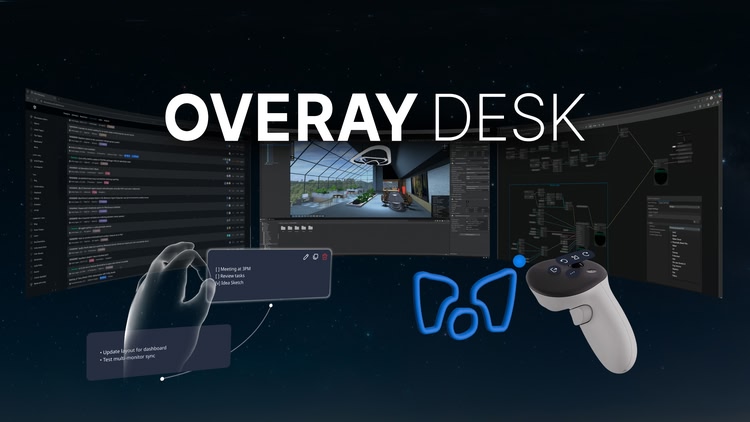
OVERAY DESK is a next generation workspace that brings productivity and immersion together in virtual reality.
With automatic sync to Windows, you can set up your ideal environment with just a few clicks.
Key Features:
- Use up to 5 virtual monitors for free
- Quickly jot down ideas with XR Pen and Notes
- Flexible layouts and customizable presets
- Simple and intuitive interface
- Passthrough mode and diverse virtual environments
We’re constantly improving OVERAY DESK for even greater immersion and efficiency.
Discover the future of workspaces today.
| Mixed reality | |
| comfort | ⦾ Comfortable |
| age rating | 0+ Everyone |
| storage | 0.6 GB |
| website | overay.com |
| developer | Overay Inc. |
| publisher | Overay Inc. |
| connection | Internet required |
| app version | 1.0.2 |
| languages |
English
|
As a 3D structural designer, this app is a total game-changer for my workflow. I stumbled upon it through an ad for the XR Pen, and the ability to instantly pull up multiple displays while I'm in the middle of 3D modeling is incredible. The UI/UX is also a huge plus—it's so much cleaner and more polished than other apps I've tried. The only thing that would make this perfect is Bluetooth keyboard and mouse support. I'd love to be able to work from my couch while connected to my PC.
I'm a 3D structural designer, and this app is a game-changer for my workflow. I found it through an ad for the XR Pen, and the ability to instantly pull up multiple displays while I'm doing 3D drawing is incredible. The UI/UX is also a huge plus—it's so much cleaner and more polished than similar apps I've tried.
The only thing that would make this perfect is Bluetooth keyboard and mouse support, as I love working from my couch after connecting to my PC.
I've been using Overay Desk for a few weeks now, and it has completely changed how I work in VR.
I usually connect it via USB, and the connection with my PC is very stable. Being able to place multiple virtual monitors around me freely makes it super convenient.
I also love that I can take notes directly in VR and have them synced to my PC. It’s perfect for deep focus sessions, and I plan to keep using it for my personal work.
Here’s a cleaner, more professional version of your message that keeps the same feedback and tone, just with better flow and clarity:
⸻
I was really excited to try this app — then I actually used it.
First, I’m forced to create a military-grade password just to get started? That’s already frustrating. Then I’m stuck in a mandatory tutorial with no option to skip. It took me 15 minutes just to get through the “Lock Screen” lesson. I almost quit right there.
Finally, I get into the app — and the screen only fills about 33% of my display. Why? It looks like whoever designed this has never used decent software before.
Then I realize: this app is meant to connect to a computer that’s already in front of me… with its own keyboard and mouse. That defeats the whole purpose. I wanted to use this in my bedroom to control a computer in my living room. Total waste of time.
Here’s what you need to fix:
• Let people skip the tutorial
• Make the computer screen actually go full screen
• Add support for an on-screen keyboard or let users pair a Bluetooth keyboard
• Prioritize intuitive design — this should be easy and seamless
The app has so much potential, but it’s buried under bad UX choices.
Connection was easy, setting up the screens a little more fiddly. But once I got to grips with it I found it really easy to use.
Now off to mess with the mind map functions.
Looking forward to new enhancements!
First,the screens aren't full-screen
Second and mostly ,it dimmed my actual display as a feature but the brightness never returned to normal after exiting the software. I had to delete it from my device!
Now, my brightness is at minimum and windows/graphics controls aren't changing anything, which is very frustrating.
It seems that the software had change the settings from my monitor itself directly... it was a pain to figure out after my time wasted.
I would recommend AVOIDING this app.