Apps Fluid Browser + Video Player

Media ∙ Productivity ∙ Utilities
4.6
1.1K ratings 314 reviews
early access
2023
October 10
game modes
• Singleplayer • Multiplayer
player modes
• Standing • Sitting • Room-scale
compatibility
• Quest 2/Pro • Quest 3/3S

Browser - Video Player - Gaming Hub - Smart Tv - Screen Sharing

You can have windows all around you or play your favorite game solo or stream it to friends in a personal home theater. It runs entirely on your headset. No PC required.

  • 📺 Smart TV Perfect for watching streaming services or local video files with light fx*. Note**: Netflix is not supported.
  • ▶️ Play local video files saved on your headset, including 3D SBS video. (MKV and MP4 supported, ISO and MVC not supported)
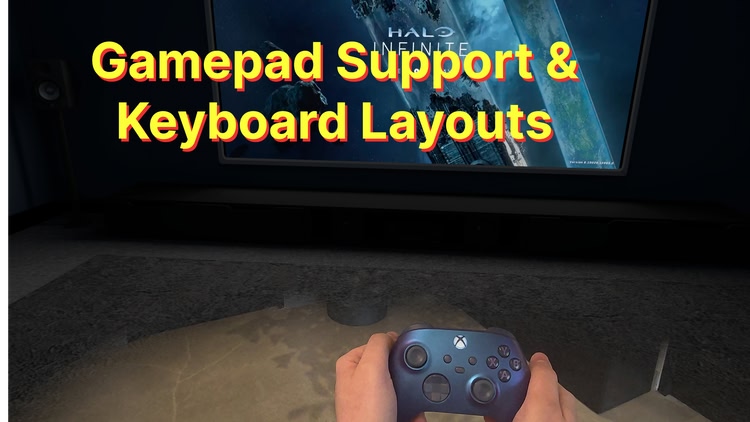
  • 🎮 Use a Gamepad to play Xbox Cloud Gaming, GeForce Now & other online games (gamepad tracking only for Xbox/PS5 controller)
  • 🛜 Screen Sharing tabs + video files in private rooms from headset to headset (no pc needed)
  • 👥 Join rooms to collaborate or watch videos together on shared screens.
  • 🏞️ Beautiful virtual environments or full mixed-reality experience
  • 💻 Apps and webpages can be placed anywhere around you in 3D space.
  • 🖥️ Fluid Link, our (experimental & paid) PC streaming add on.
  • 🖱️ Wireless Mouse & Keyboard support for maximum productivity
  • ⌨️ International Keyboard Layouts: Supports multiple languages

👋 This app is in Early Access and is actively being developed. Please let us know about any bugs you encounter via the in-app help chat or our discord.

Mixed reality
comfort Comfortable
age rating0+ Everyone
storage1.2 GB
websitefluid.so
developerFluid
publisherFluid
connectionInternet required
app version0.38.0-q3-494
languages
English

Price History

Add-ons 1

Developer posts 7

1-4 of 7

Reviews 314

Tartsee5 days ago

Really Great So Far!

I can confirm that this works with Hulu, Amazon Prime and Paramount+. I have tested these three with someone else joining my room. The Xbox app works for using remote play connecting to my Xbox, but I have not yet had anyone join to see if sharing works okay. There is also a section in settings (Skybox), where you can create AI generated backgrounds that can be viewed from the windows in certain rooms. In app it says this feature is temporarily free (looks like 1 credit will be required in the future). App is sometimes slow while navigating (may be my own internet speed??), but, all in all, quite happy with it so far. I would like to see some more choices for rooms to be available, maybe even as add-on stand-alone purchases. I am never interested in subscription models (I paid the one-time app price), so I am unable to unlock extras at this time. I think the "flat fee" is fair, considering all I wanted was the Smart TV/sharing feature. This purchase was very worth it to me!

UPDATE: Thank you to the developer for making me aware that I can purchase additional rooms. I used the app for a couple more hours today with Paramount+. Works very well. I have already told at least five other people about this app. It's such a fun thing to be able to share a movie with someone who is not in the same home. Even the voice chat is smooth. Very happy.

5 days ago

Hey, sorry if it’s not obvious but you can purchase the environments as one-time purchases by clicking on them.

Mikeyboy19836 days ago

Problems playing local files

I don't want to rate this badly but I'm hoping that the Devs will help me with my problem.
I have a few movie files saved on my headset none of them play the sound ok. 3 of the 4 plays the music but with no dialogue and the other movie does play dialogue but out of sync. These movies work perfectly fine on other movie apps but I want fluid to be able to watch movies with my friend. I paid for the app.

5 days ago

We can help you in our discord. Https://discord.fluid.so

theworstskylar33 days ago

Overwhelmed by bad UI experience

I would like a refund in order to remove this review.

11 days ago

You can request a refund through Meta at any time.

Yemanator34 days ago

Xbox controller paired but not detected

The fluid app is quite amazing but I haven’t been able to get a paired XBOX controller to work within the fluid TV APPS option

11 days ago

Hey there, yeah that's a bug we're still trying to track down. Thanks for your feedback!

Spikemissile40 days ago

Please optimize

Update (latest): it's been months now and it still crashes, why haven't we fixed this, I've since bought a laptop and moved to immersed, less portable solution but reliable at least, I think fluid has alot of potential and I mean this but will you guys please cut out all of the features, you're working with headsets that have limited resources we want reliability more than features because what good is all the features if the app keeps crashing, work on optimization and cutting.

Update: It seems the team is working on a way to fix some software bug on certain v77.0 builds but I trust they'll fix it.

Well the app kept crashing. I found out it wasn't the developers fault and it was Meta. The issue should be fixed in 1-2 days.

I reached out and got assistance and was met with a timely response which is appreciated.

11 days ago

Hi there! After quite a bit of detective work, we tracked down the crashing to a bug in one of Unity's VR packages. We have patched it in the latest version (currently on Beta but releasing to main release channel on Wednesday).

Thanks for your patience while we resolved this awful issue.

Jo.lo41 days ago
12

A lot of promise

This app could be the thing i have been looking for, apart from it crashes far to often, even when i have only a few windows open.

Smart TV keeps reseting preffered apps and constantly logs you out of them, also won't play netflix or apple tv.

It doesnt seem to do anything different to what i have tried just using basic meta apps.

11 days ago

Hi there! After quite a bit of detective work, we tracked down the crashing to a bug in one of Unity's VR packages. We have patched it in the latest version (currently on Beta but releasing to main release channel on Wednesday).

Thanks for your patience while we resolved this awful issue.

As for the resetting, please make sure you have storage permission enabled. Otherwise our app can't save any of your settings.

1-6 of 314