Apps Chinese Input for Meta Quest- (拼音,語音)
Utilities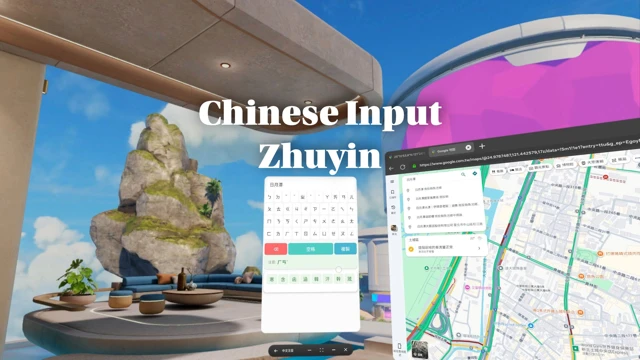
⚠️ READ BEFORE PURCHASE: HOW IT WORKS
Due to Meta Quest system limits, third-party keyboards cannot pop up inside other games.
Workflow:
Type in this App (Zhuyin/Pinyin/Sucheng/Voice).
Click "Copy" (Auto-saved to clipboard).
Switch & Paste in your target App.
Compatibility:
Supported: Browsers, Notion, Discord, and apps that support system pasting.
NOT Supported: DeoVR (due to its own software limits).
YouTube Users: YouTube has a built-in keyboard. Buy only if you need Offline Voice or T/S Conversion.
🎯 Professional Chinese Input for Meta Quest
Stop struggling with English keyboards to type Chinese! Chinese Input - Zhuyin & Pinyin is the complete solution for your VR communication needs.
🌟 4 Powerful Input Methods
🎤 Offline Voice Input: Fastest & Private. Processed locally on-device. No internet required. Perfect for long text and quick searches.
📝 Zhuyin (Bopomofo): Standard 4-row layout for Taiwan users.
⚡ Sucheng (Quick): Efficient first/last code selection for HK users.
🔤 Pinyin: Standard QWERTY layout with smart matching for Simplified Chinese.
🔄 Conversion & Learning
One-Click Conversion: Seamlessly switch between Traditional and Simplified Chinese.
Learning Hub: Instantly view Zhuyin/Pinyin/Sucheng codes for any character.
💡 Efficiency Bonus: One-Click Search
Skip the "Paste" step! Type your keywords and click "Search" to open your browser and go straight to Google results instantly.
| comfort | ⦾ Comfortable |
| age rating | 0+ Everyone |
| storage | 0.2 GB |
| website | zenchang.com |
| developer | Zen Chang |
| publisher | RealityBlend Creations |
| connection | Internet not required |
| app version | 1.07 |
| languages |
Chinese
|
Price History
- base price $4.99 from Dec 8, 2025
-
$2.99
Jan 19 -Jan 26